Subscription Management
Customer Center
Answer subscription support questions inside your app, learn why people cancel, and manage App Store and web purchases in one place.
Think about where your users go today when they want to manage a subscription. They dig through Settings looking for Apple's subscription list, give up, and email you. Or they skip you and ask Apple for a refund. Either way, you hear about it late, you answer by hand, and when they cancel, all you learn is that a number went down. Customer Center keeps all of that inside your app, where you can answer it and ask why.
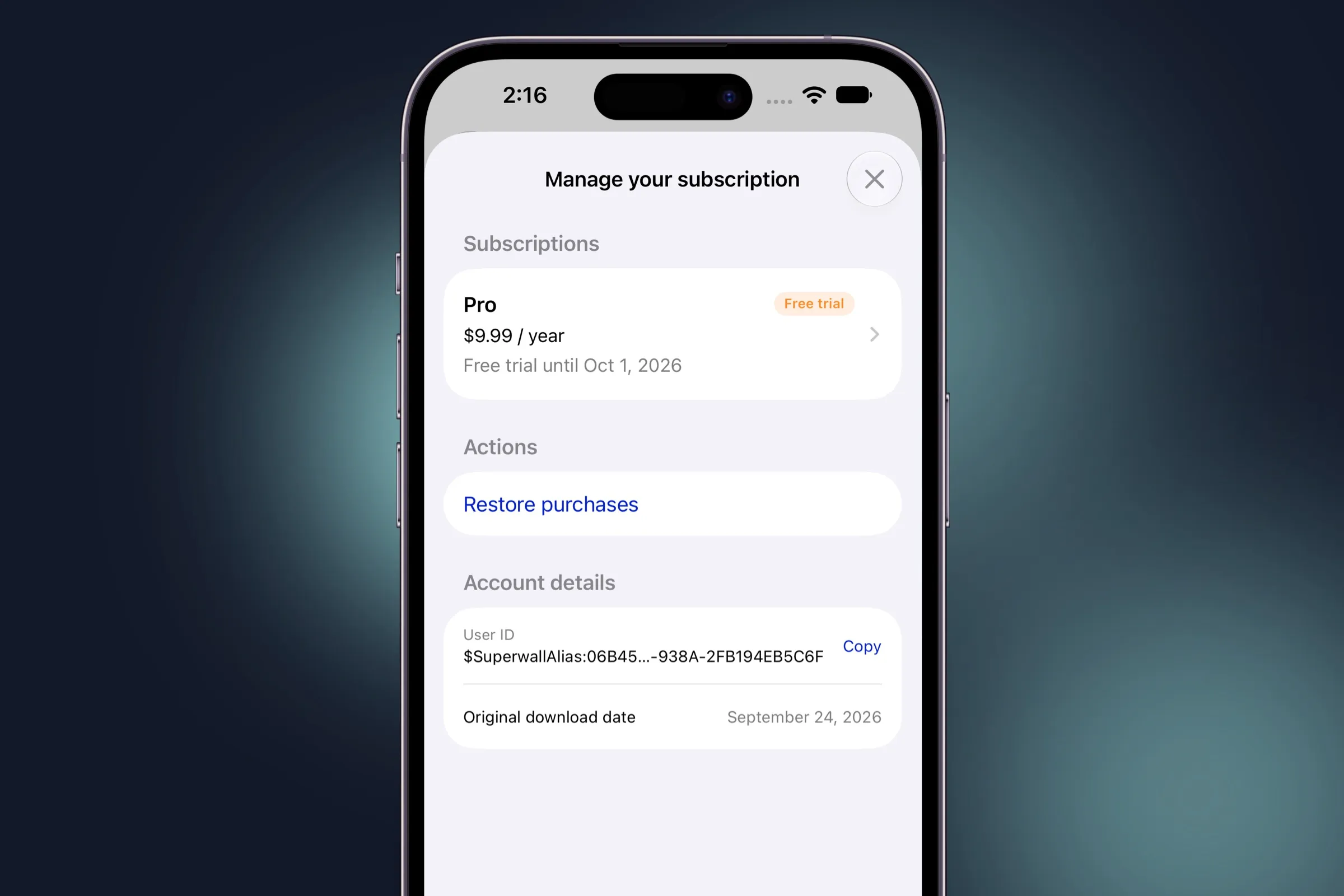
Stop answering the same emails
Each of the questions that fills a subscription app's inbox has a self-serve answer in Customer Center, and all but one work without any setup:
-
"How do I cancel?" "Can I get a refund?" Both are a tap away, and both go through the store's own screens: Apple's Manage Subscriptions and refund request sheets on iOS, and Google Play on Android. You decide how long after purchase refunds are offered.
-
"I paid, so why is it locked?" Restore purchases fixes it in one tap and tells them whether it found anything.
-
"Is this bug fixed yet?" Anyone on an out-of-date build sees a banner asking them to update.
-
The emails that still come in. Once you add a support email, Contact support opens a message pre-filled with diagnostics, including the user ID, app version, and active entitlements, so you can help on the first reply instead of the third.
Find out why people cancel, before they're gone
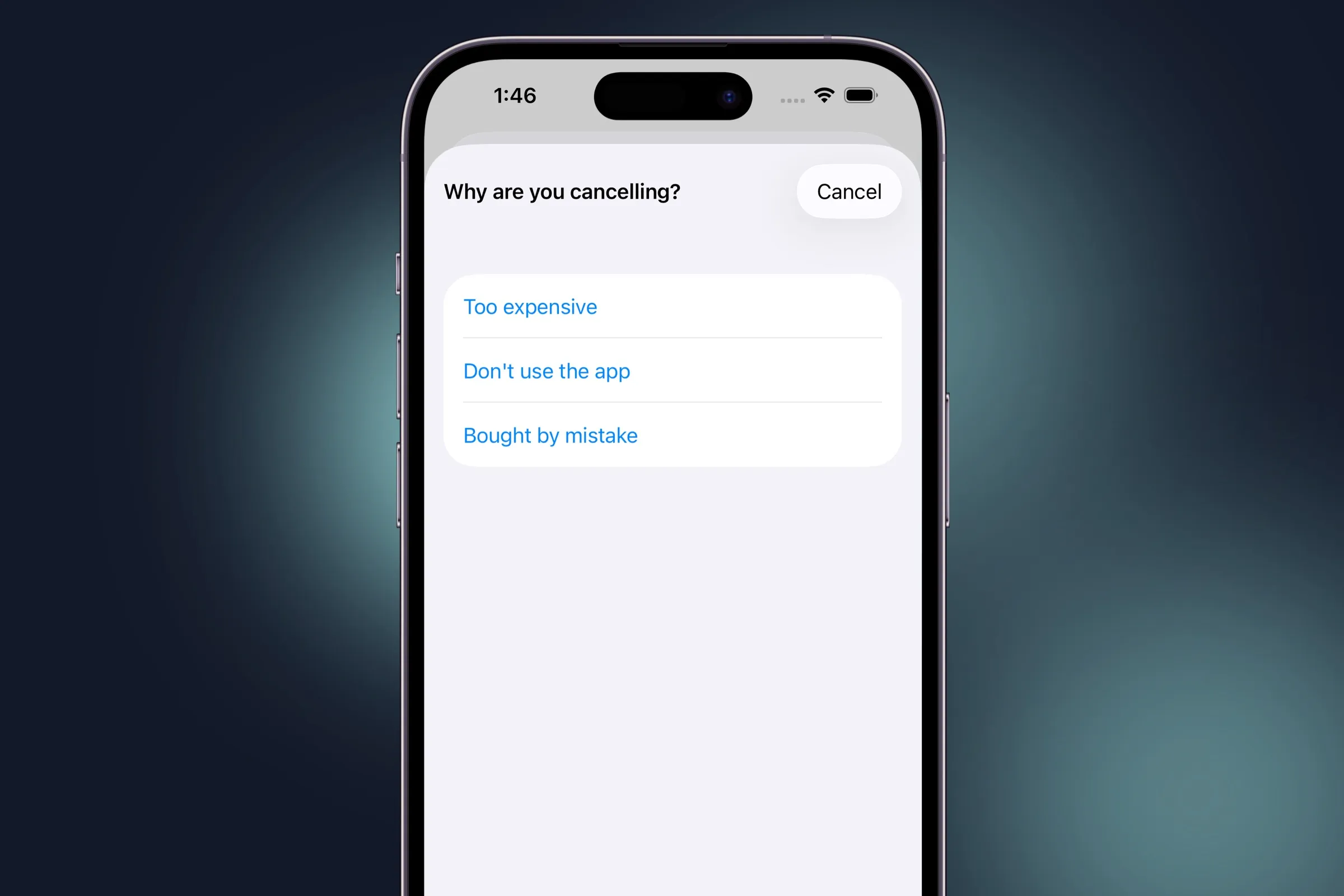
Apple's subscription sheet will cancel someone for you, but it won't tell you why. In Customer Center, tapping Cancel subscription on an App Store or Google Play subscription brings up a short survey first. It's on by default with three answers (too expensive, don't use the app, and bought by mistake), and you can write your own. Each answer fires a Customer Center event, so the reasons land in your analytics next to the rest of your funnel. Now you can tell a pricing problem from an engagement problem.
"Won't an easy cancel button cost me subscribers?"
People who want to cancel will find a way, whether that's Settings, an email to you, or a refund request to Apple. Hiding the button only decides how annoyed they are on the way out. Customer Center gives you a say in that moment instead:
- Change plan sits right beside Cancel. Someone who thinks they're paying too much can switch to a cheaper plan in your subscription group instead of leaving.
- You choose what's on the screen. Pick which rows appear and in what order, limit refunds to a window after purchase, and limit plan changes to the products you want to offer.
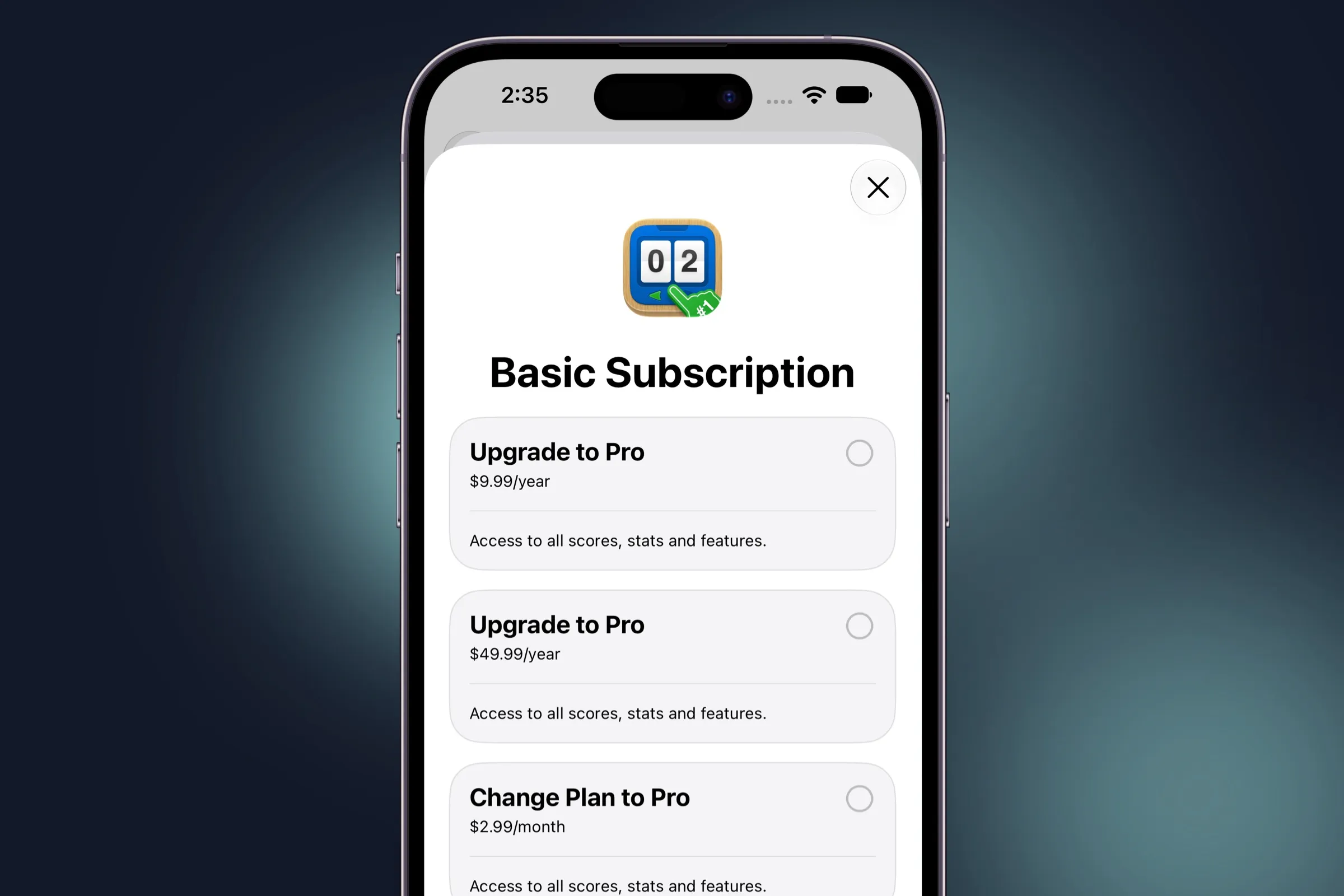
On iOS, plan changes open StoreKit's own subscription store, so users see Apple's screens and Apple makes the change.
The one screen that sees web and App Store subscriptions
If you sell on the web with Superwall's web checkout, Apple's subscription list can't help your users, because it only knows about App Store purchases. Customer Center shows both side by side, price and renewal date included, and a web subscription's Manage button already points at your hosted management page. When someone's paying on both at once, it warns them before they're charged twice. That's one less refund request, and one less frustrated email.
Change what it shows, or ship the defaults
Customer Center works the moment you present it, and almost everything is
adjustable through SuperwallOptions.customerCenter. Rename
rows, add links to your own pages or custom rows that run your code, and
set an accent color for light and dark mode. CustomerCenterDelegate tells you about every tap, survey answer, and refund request. On iOS you
can present it as a sheet or push it onto your own navigation stack like
any other settings screen.
Every string is localized into 41 locales. On iOS it needs SDK 4.18.0 and iOS 15 or later (iOS 17 to change plans). On Android it ships in SDK 2.8.5, and on Expo in v1.6.0. The Android and Expo guides cover the options on those platforms.
Explore the iOS configuration optionsWho it's for
- Indie developers who answer their own support email and would rather spend that time building.
- Apps selling on the web and the App Store whose users can't see their web subscription anywhere else.
- Growth teams who see churn in a chart but can't tell you why it happened.
Get started
Update the SDK and call presentCustomerCenter() from your
settings screen. In SwiftUI, the presentSuperwallCustomerCenter(isPresented:) modifier does the same thing. Pick your platform's guide below, or read
the launch post for the
full tour. New to Superwall? Create an account and connect your app.