Apple Retention Messaging: one last conversation before cancel
Superwall now supports Apple's Retention Messaging API — a way to show a retention message, alternate plan, or discount on the iOS cancellation screen, configured from the dashboard.

Most iOS subscription cancellations occur in Settings → Subscriptions → Cancel, where the app isn't running and developers have no opportunity to intervene. Apple's Retention Messaging API addresses this gap by allowing developers to place a message on the cancellation confirmation screen — a reminder, alternate plan, or promotional offer displayed in native App Store UI before subscribers confirm their decision.
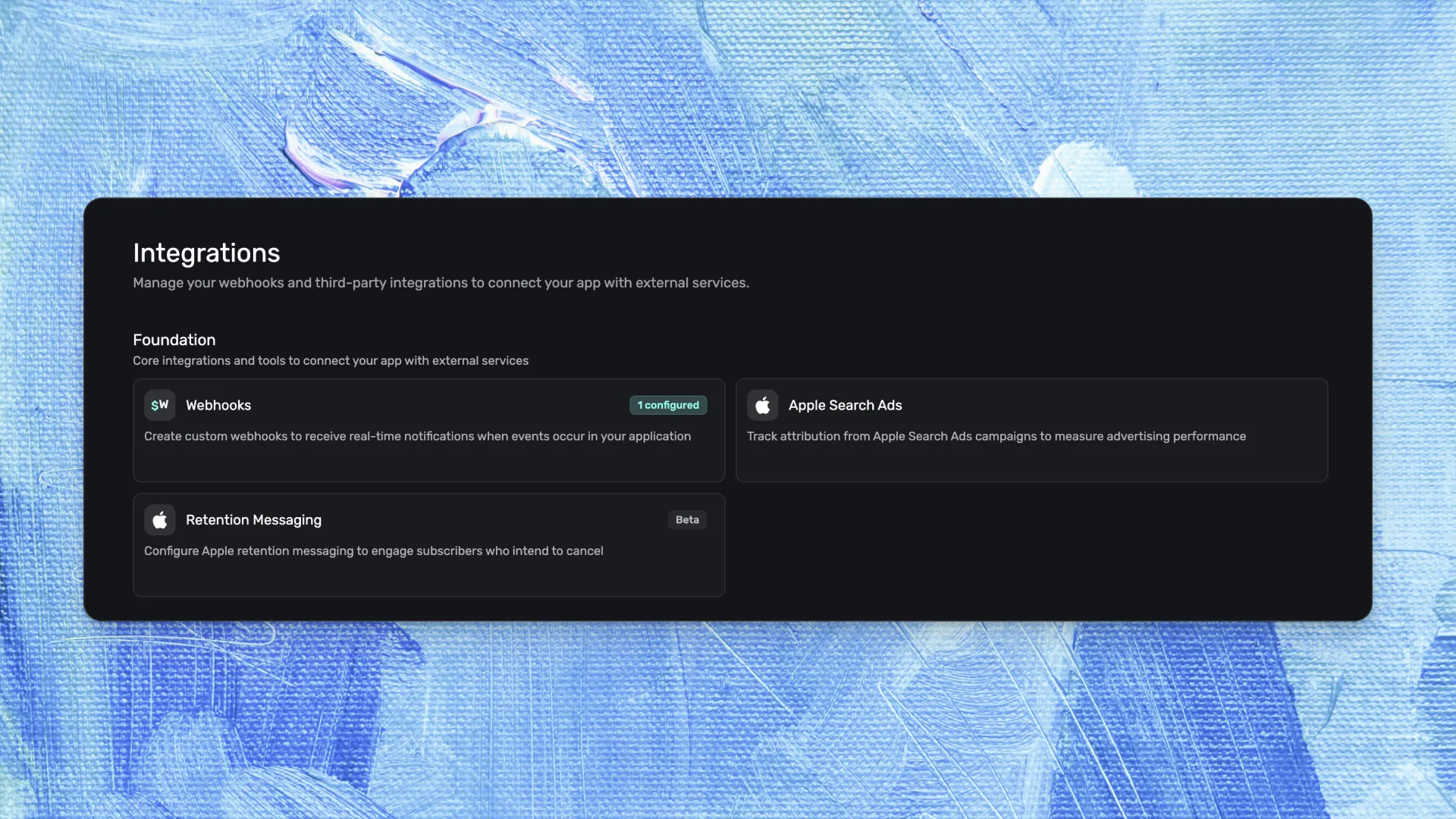
The API operates on a server-to-server basis, traditionally requiring developers to build and maintain dedicated backend infrastructure. Superwall simplifies this process by providing a pre-generated callback URL accessible from the dashboard, message management capabilities, and Apple review tracking — all without requiring server code or SDK updates.
How Apple's Retention Messaging API works
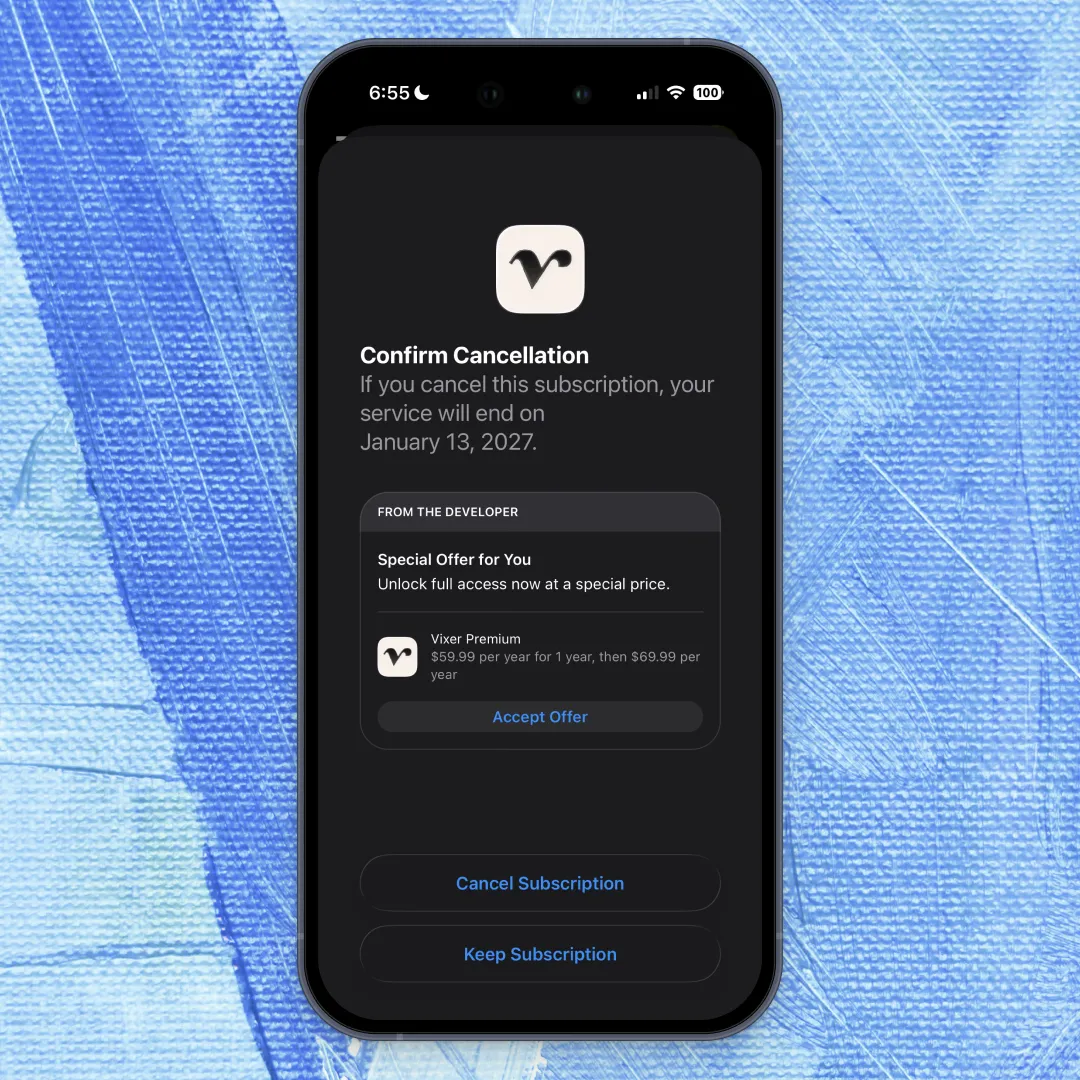
When iOS subscribers navigate to Settings → Subscriptions, select an app, and tap Cancel Subscription, Apple displays a confirmation screen. The Retention Messaging API enables developers to embed a message at this critical juncture.
Four message types are available:
- Text — A header and body reminding subscribers what they'll lose
- Text + image — The same content with visual accompaniment
- Alternate plan — Suggests a different tier with a Subscribe button directly accessible
- Promotional offer — A discount or extended trial with a Redeem button
Subscribers retain complete control throughout this process. They can read the message and still proceed with cancellation — nothing is blocked or obscured. Apple reviews every message before deployment, and the screen clearly labels content as "From the developer."
This represents the only native touchpoint during the cancellation flow within Apple's subscription settings, with no in-app alternative reaching this screen.
What this looks like in practice
Consider a meditation app with a $12.99/month subscription. When a long-term subscriber decides to cancel, they navigate to Settings, tap Subscriptions, locate the app, and select Cancel. Rather than encountering a blank page with only a "Confirm Cancellation" button, they see:
You've completed 47 sessions and built a 3-month streak. Switch to our $5.99/month plan to keep your progress — or stay on your current plan for 50% off the next 2 months.
A Redeem button and Keep Subscription button appear below. The subscriber can still tap Cancel Subscription — but they're now making this decision with previously unknown options.
Different apps employ varied strategies. A fitness app might promote a quarterly plan instead of monthly billing. A language learning app might remind subscribers they're 80% through a course. A news app might offer a weekend-only tier. The message varies by product and strategy, though the underlying infrastructure remains consistent.
What Superwall does
The Retention Messaging API requires server-to-server communication. When subscribers view the cancellation screen, Apple sends a real-time request to a developer endpoint, and the server responds with the message to display. This traditionally demands hosting infrastructure, latency management, and compliance with Apple's callback protocol.
Superwall provides:
- A hosted callback URL — pre-generated in the dashboard, ready for immediate use without server infrastructure
- Message management — create messages, track Apple's review status, manage locale variants
- Default message mappings — fallback messages per product and locale (Apple mandates this baseline)
- Real-time configurations — dynamically serve alternate plans or promo offers per product and locale
- No SDK update required — no app binary changes; the integration operates entirely server-side
Getting access
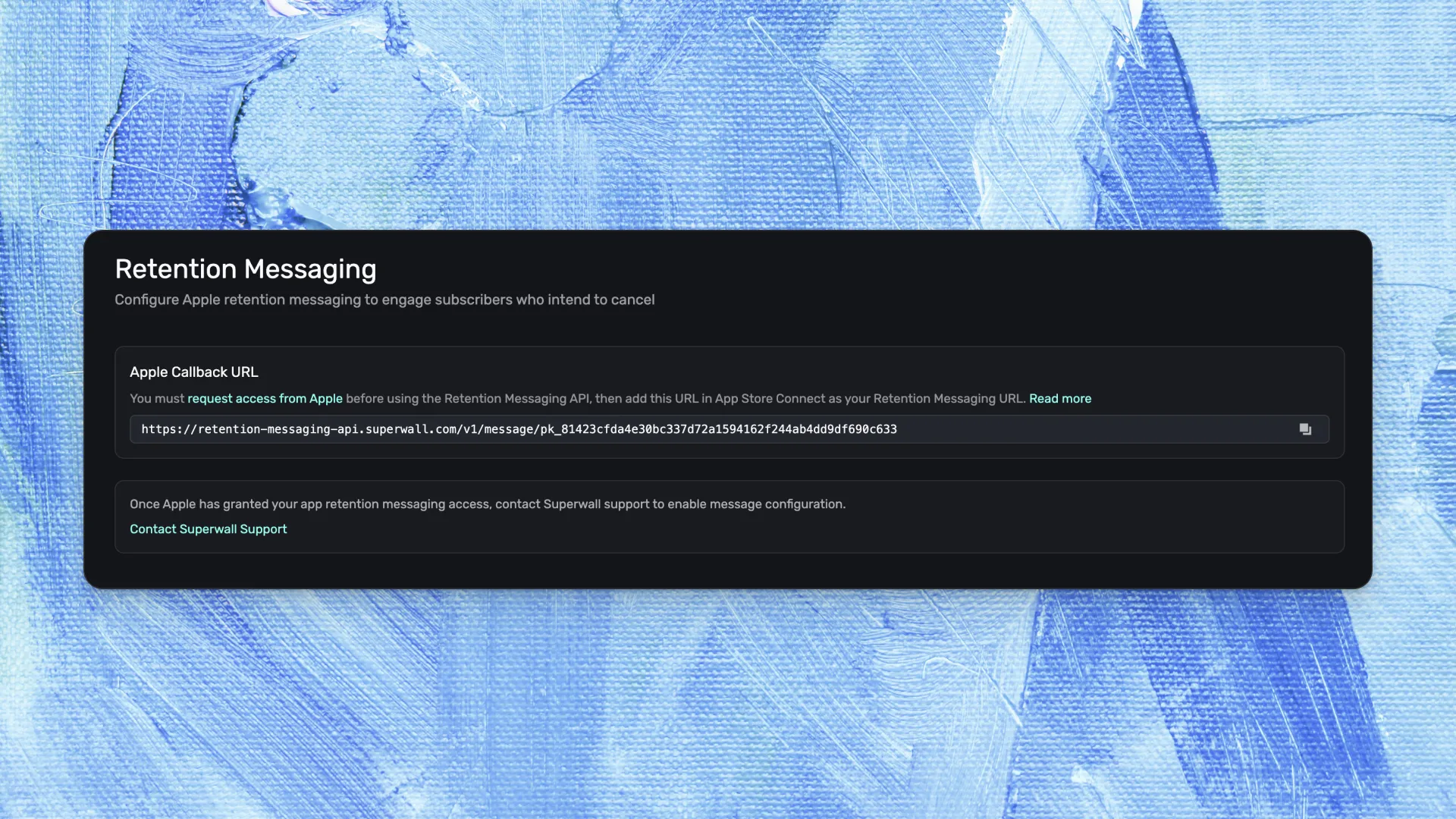
This integration requires approval from Apple. While Superwall provides the infrastructure, Apple controls Retention Messaging API access — developers must apply directly and receive approval before activation.
Phase 1 — Apply to Apple
- Open Integrations → Retention Messaging in the Superwall dashboard
- Copy the callback URL
- Request access from Apple for the Retention Messaging API
- Paste the URL into App Store Connect under subscription settings
Phase 2 — Configure messages (after Apple approves)
- Contact Superwall support to enable full configuration
- Create messages and submit for Apple review
- Map to products and locales; add real-time configs if needed
The callback URL is available in every Superwall dashboard today. Applying to Apple is the initial step, taking only a few minutes. Complete guidance appears in the documentation.
FAQ
- Do I need Apple's approval before retention messages can appear?
- Yes. The Retention Messaging API is access-controlled by Apple. Developers must apply directly and receive approval before the API activates for their app. Superwall provides the callback URL and dashboard interface — Apple grants access.
- Which iOS versions support retention messages on the cancellation screen?
- Retention messages appear on devices running iOS 15.1+, iPadOS 15.1+, visionOS 1+, and macOS 14+. Older OS versions display the standard cancellation confirmation without a message.
- Does the server endpoint need to respond within a time limit?
- Apple mandates a response within 700 milliseconds. If the endpoint times out, Apple defaults to the standard message. Superwall's hosted endpoint manages this automatically — developers handle no latency management.